Copilot Conversation Feed
Overview
The Conversation Feed aggregates insightful snippets from calls and meetings into a single feed so you can identify the right moments to listen to from the calls and collaborate with others. It streamlines the process of identifying key moments during conversations, so you don't have to search through multiple recordings. You can also customize the feed to suit your preferences.
Use Cases
Revenue Leaders: Leaders get a feed of conversations and snippets that are directly tied to revenue impacts, such as closing calls, upselling opportunities, and customer testimonials, helping to identify what works best.
Sales leaders: By monitoring the feed for team interactions and discussions, leaders can gauge team engagement and collaboration levels, identifying high-performing teams and potential areas for team-building.
Product and Marketing: A feed of customer sentiments about specific features enables product teams and marketers to gauge reactions and user pain points to new releases or updates in real-time and adjust strategies accordingly. A feed filtered for competitor activity and customer comparisons provides a strategic view of the competitive landscape, informing product strategy and positioning.
Sales Engineers: Using user mentions and team discussion snippets, sales engineers can stay informed about technical queries raised during sales calls and provide necessary input.
User Set Up
Onboarding and Feed Configuration
1. Select your preferences when you land on the feed — which is pre-populated with cards of your preference or the default cards if it's your first login or you haven't adjusted your preferences.
2. Further customization is accessible via a three-dot menu (at the top), allowing you to refine your feed.
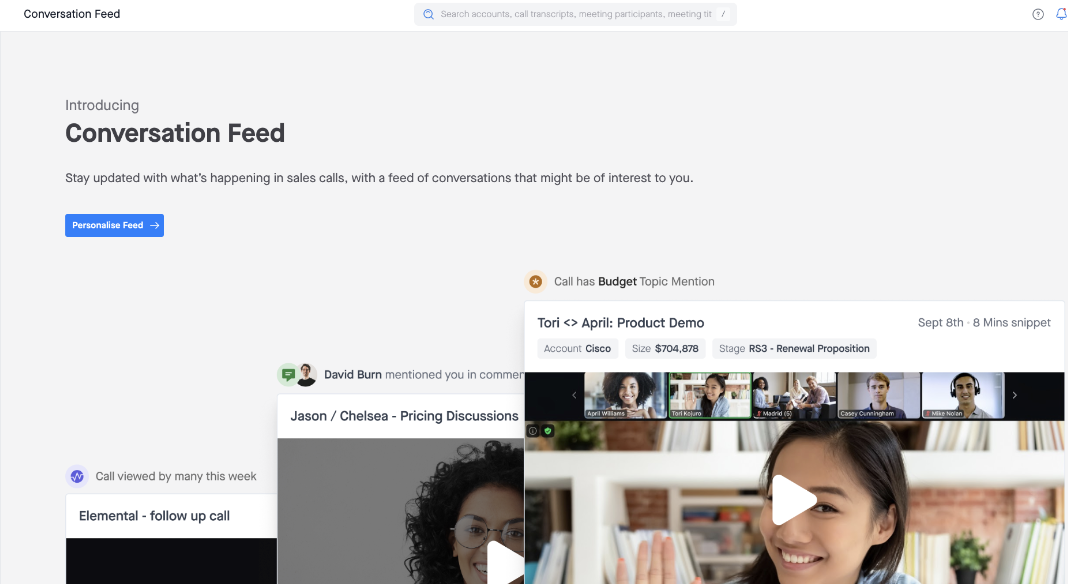
Types of Conversation Feed Cards
At launch, the Conversation Feed will include the following card types:
-
User Mentions: Highlights instances where you have been tagged in recent calls.
-
Competitor Mentions: Highlights when competitors are mentioned during calls, giving users an edge in competitive intelligence. It also highlights sentiments with which the competitor was mentioned.
-
Team Discussions: Captures moments from recent calls where your team engaged in discussions.
-
Game Tapes: Displays newly created game tapes for quick review.
-
Call Shares: Shows snippets that have been shared by team members.
-
Bookmarked Moments: Features moments bookmarked during or after a call, signifying their importance.
-
Topic Mentions: Aggregates instances where specific topics are mentioned in conversations, providing a thematic overview of discussions.
-
Transcript Mentions: Gathers mentions from call transcripts that are relevant to you, offering a textual context to the spoken word.
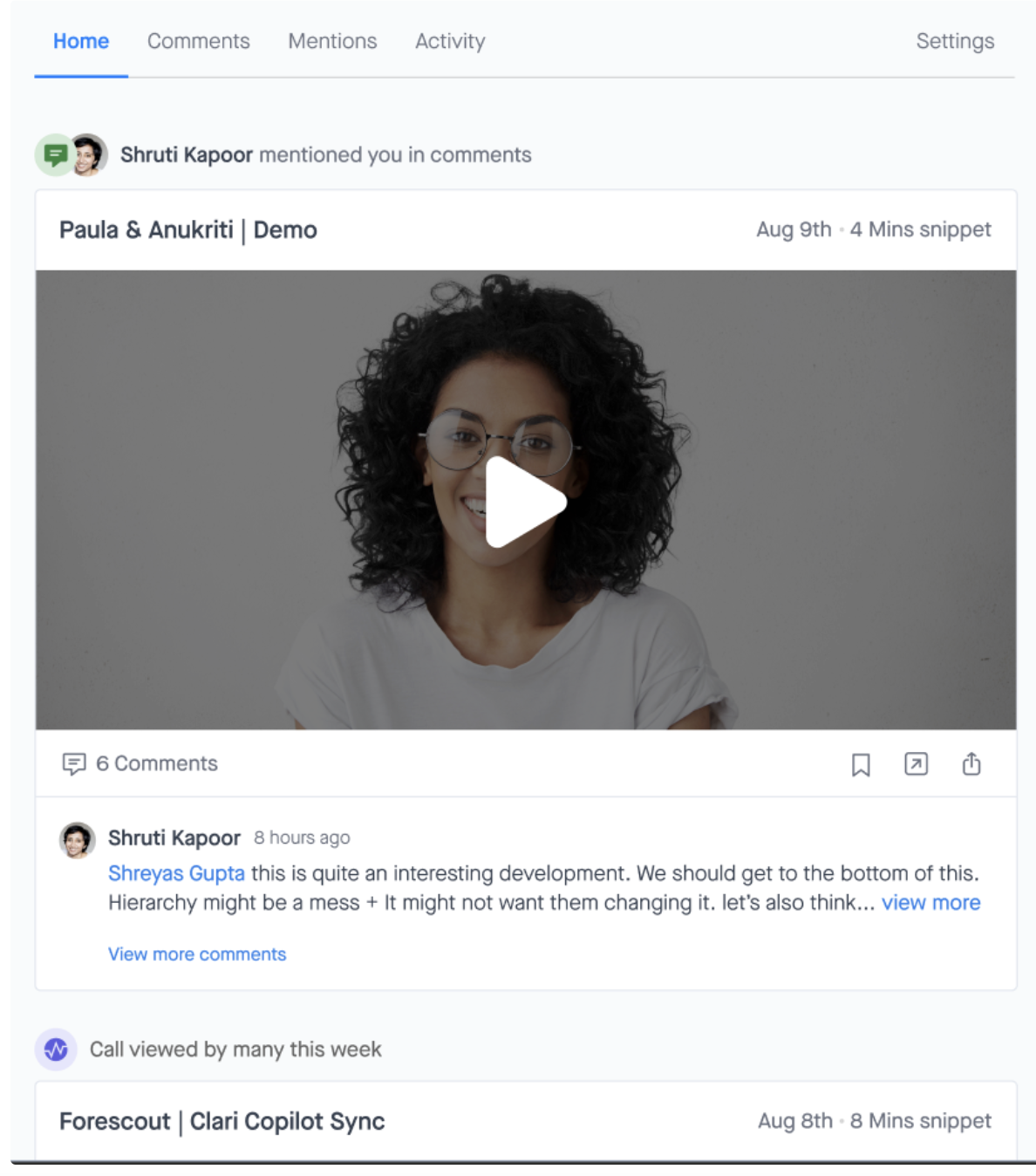
Collaboration on the Feed
The Conversation Feed is not just about information; it's a hub for collaboration. Users can engage with the feed by:
-
Commenting: Adding thoughts or follow-up actions on any card.
-
Sharing: Distributing important calls with teammates or across departments.
-
Viewing Calls: Accessing the full call to understand the context around snippets.
It looks like this:

Customization and Default Settings
All cards are customizable to fit your needs. By default, the feed will display Comment Mentions, any Saved Filters, and Shared Snippets to ensure a populated feed upon initial onboarding.
You can personalize feeds at the individual, team, or organizational level. For example, you can follow specific competitors, topics, and bookmarks, or choose to monitor particular Game Tape folders—like a Customer Success Manager (CSM) tracking the 'Customer Stories' folder.

Feed Views for Focused Content
The feed is organized into different views to help you focus on specific types of content:
-
Activities: Showcases all activities performed on calls, like creating game tapes or sharing snippets.
-
Mentions: Includes all instances where you are mentioned, such as topic mentions, transcript mentions, and competitor mentions.
-
Comments: Displays cards where you're tagged in comments.

Feed Refresh and Interaction History
The feed refreshes with new content each time you visit, keeping the information current. Cards that you already interacted with move below the "You are all caught up" divider to minimize clutter. This allows you to acknowledge what you've reviewed and avoid repetitive scrolling. Interacted cards remain in the feed for seven days, ensuring that nothing is missed.

