Copilot Smart Summaries (Powered by RevAI)
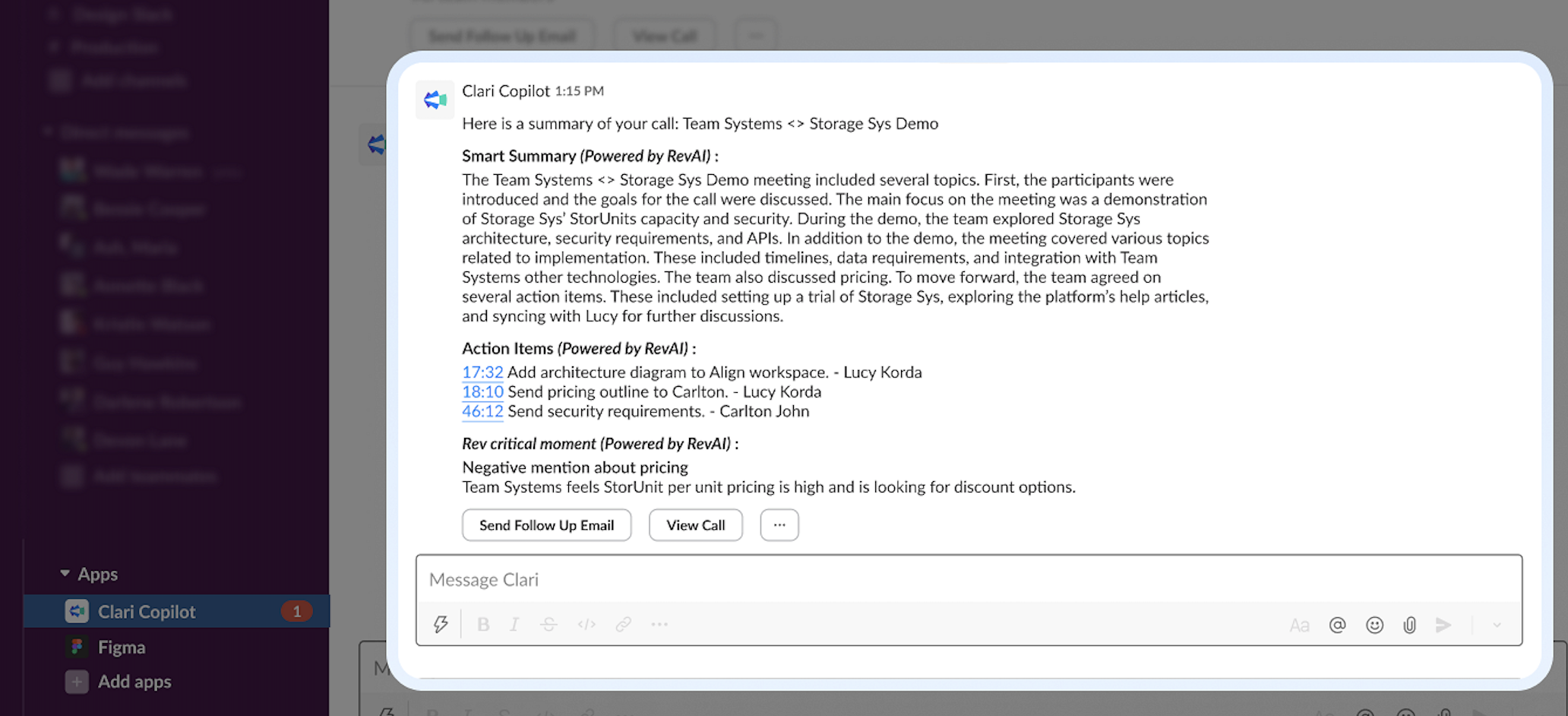
Smart Summaries delivers automatic call summaries, next steps, and suggested actions in Slack in a conversational format thanks to RevAI. So say goodbye to the post-call horror of analyzing meeting notes and trying to remember everything your buyer said.
Sales reps can use Smart Summaries in Slack to quickly recap the important points and action items from their calls, helping them to prioritize follow-up activities and recap the call in a follow-up email.
Note: Clari Copilot summarizes calls that are greater than 5 mins generally. Calls with duration less than 5 mins and calls with not enough discussion might not be summarized.
How To Get Copilot Smart Summaries
Right now, Smart Summaries is only available to users with Slack integration enabled.
How To Set Up Smart Summaries
Once you have access to the feature, follow these steps to enable it.
Note: You need Admin privileges to connect Copilot to Slack and to enable AI Features like Smart Summaries for your org.
1. Connect Copilot to your company's Slack workspace. It's super easy and takes just a click. Learn how here.
2. Configure post-call actions:
a. Go to Workspace Settings > AI Features
b. Enable Advanced AI Features

Your reps will now get Smart Summaries in Slack after meetings. They look like this:
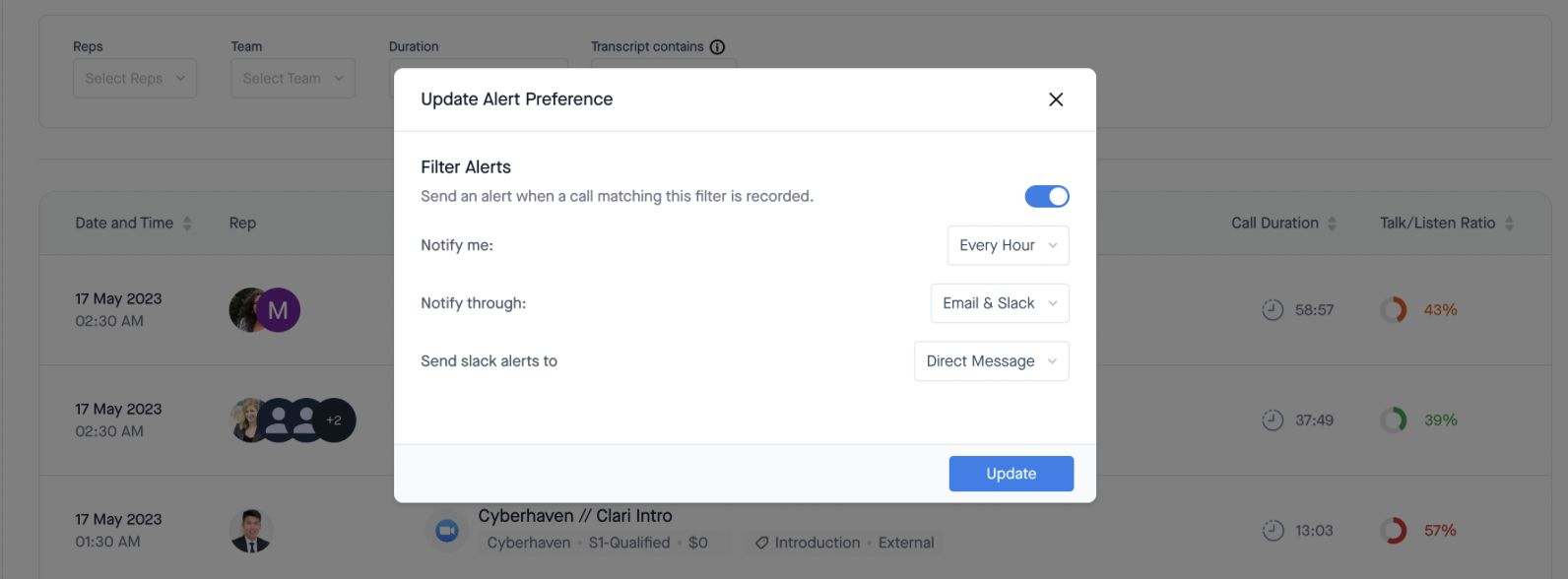
You can also set up Smart Summaries in Slack Filter alerts: Managers can create alerts for certain types of calls you want notifications for and get Slack alerts with a View Summary button that helps you understand what happened in a call:
Smart Summaries in CRM
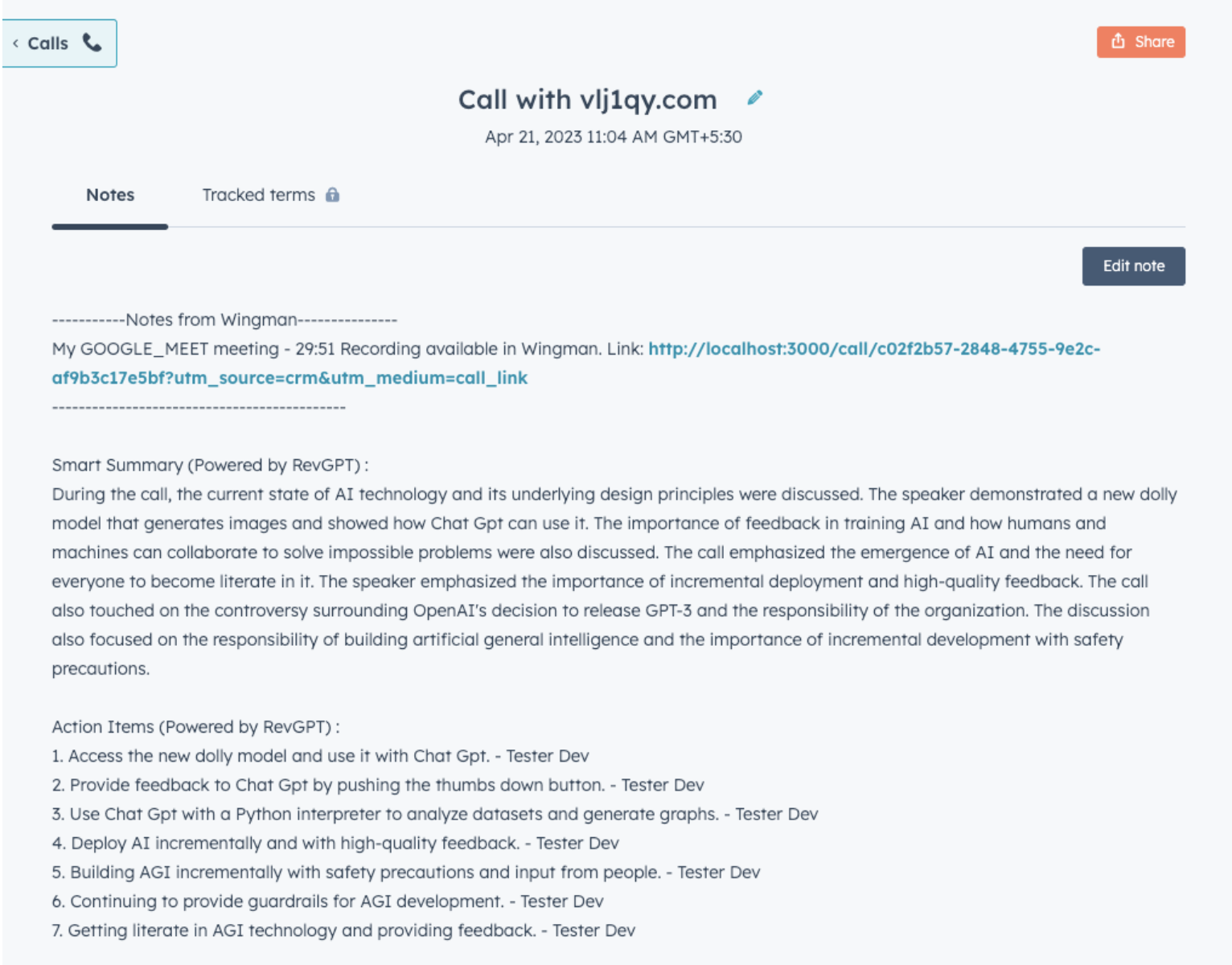
You can find Smart Summaries in your CRM. Summaries get pushed along with other call metadata to Salesforce, Hubspot, and Pipedrive.
In Salesforce, this feature is enabled by default (you can disable it if you like). You can find your Smart Summaries on the Salesforce Task:

For Hubspot and Pipedrive — your Smart Summaries will show up in call notes:
FAQs
What AI model is used for Smart Summaries?
The current version we are using is gpt-4o mini but we are continuously evaluating new models and may move to better and advanced models in the future.
Where is data stored? Is it cached? Are there personal clusters for each client?
The smart summary is stored in an encrypted MongoDB storage along with the call data and other information stored in our database.
Will inputs/recordings be used in the training model for the AI? Is there an option to opt out?
The data will not be used in training the AI models. OpenAI, Azure, nor Clari will be using this data for training AI models.
I see Clari and Copilot have both achieved SOC2, was Smart Summaries included in the scope during either of these assessments?
As Smart Summaries was launched recently, it was not directly addressed in the SOC 2 audit review. However, data storage is tested as part of the SOC 2, so any data resulting from Smart Summaries which is stored in AWS or MongoDB would be under the controls that were tested as part of the SOC2. Additionally, both Azure and OpenAI are themselves SOC2 compliant. Customers can find more info on their security page.
What is the minimum duration for a call to be summarized?
Generally, Copilot summarizes calls that greater than 5 mins long. Calls shorter than 5 mins (and calls with not enough words spoken) won't be summarized.
